How to Set Up a Crypto Wallet Safely as a Beginner

Key Takeaways
- Choose between custodial, hot, and cold wallets based on your security needs and how often you’ll access your funds
- Your seed phrase is the master key to your wallet. Write it down offline and never store it digitally or share it
- Always test with a small transaction first before transferring larger amounts
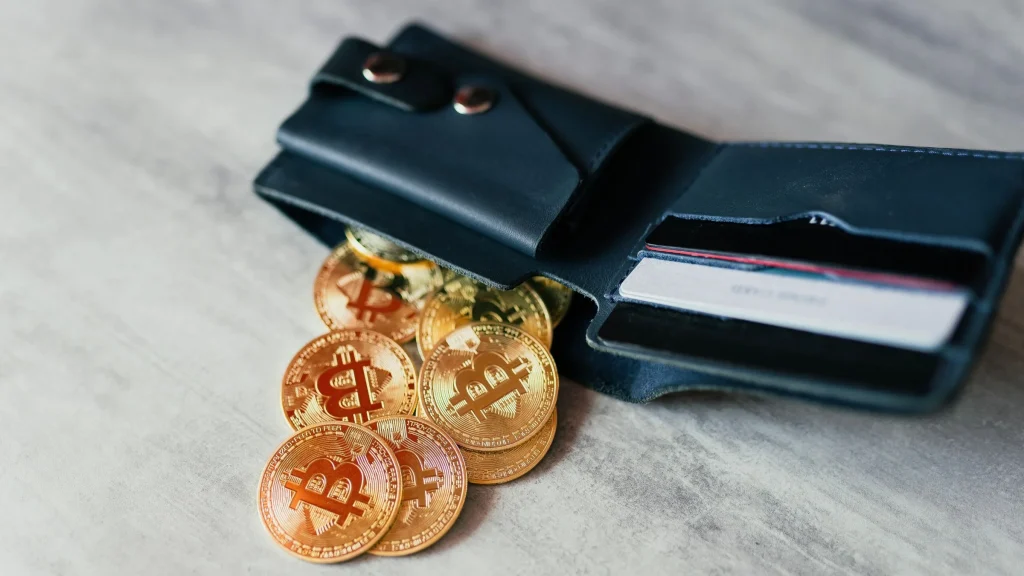
A crypto wallet doesn’t actually “store” your coins the way a physical wallet stores cash. Instead, it stores the cryptographic keys that prove you own a specific amount of cryptocurrency recorded on a blockchain. The wallet is your interface for accessing, sending, and receiving that crypto.
This guide walks through both types, how to set them up safely, and how to avoid the most common and costly mistakes.
Types of Crypto Wallets
Setting up a wallet is the first real step into using cryptocurrency directly, whether that’s trading, holding long-term, interacting with decentralized finance (DeFi) apps, collecting NFTs, or simply receiving a payment from someone else.
But, before you download anything, it helps to understand what a wallet actually does. This section covers the basic concept behind crypto wallets and the key distinction between custodial and non-custodial setups that shapes every decision that follows.
Before choosing a wallet, it helps to understand one core distinction:
- Custodial wallets: A third party, usually an exchange, holds your private keys for you. You log in with a username and password, similar to a bank account.
- Non-custodial wallets: You hold your own private keys and are fully responsible for their security. Nobody can recover them for you if they’re lost.
Not all wallets work the same way or offer the same trade-offs. The next section breaks down the three main categories: hot, cold, and custodial. You’ll see each one balances security against everyday convenience.
Hot Wallets: Connected to the Internet
These are convenient for regular use but are more exposed to online threats. They include the following:
- Mobile apps: installed on a smartphone; good for everyday transactions
- Desktop apps: installed on a computer; often used for more active trading
- Browser extensions: integrated directly with websites and DeFi platforms
Cold Wallets: Offline Storage
These keep your private keys disconnected from the internet, making them far more resistant to hacking. They include:
- Hardware wallets: small physical devices built specifically to store keys securely
- Paper wallets: a printed or handwritten copy of your keys, stored physically
Custodial Wallets: Exchange-Hosted
Custodial wallets are provided by cryptocurrency exchanges. The exchange manages the private keys on your behalf, which lowers the technical barrier but means you’re trusting a third party with your assets.
Comparison Table: Wallet Types at a Glance
Seeing the options side by side makes the trade-offs easier to weigh. The table below summarizes who holds the keys, how secure and convenient each option is, and what situations each one tends to fit best.
| Wallet Type | Who Holds the Keys | Security Level | Convenience | Best For | Common Risks |
|---|---|---|---|---|---|
| Hot Wallet – Mobile/Desktop/Extension | You | Moderate | High | Everyday spending, active trading, DeFi use | Malware, phishing, device theft |
| Cold Wallet – Hardware | You (offline) | Very High | Low-Moderate | Long-term holding, large balances | Physical loss/damage, losing seed phrase |
| Cold Wallet – Paper | You (offline) | High (if stored well) | Low | Simple, low-cost offline backup | Physical damage, becoming outdated/unreadable |
| Custodial – Exchange | The exchange | Depends on provider | Very High | Beginners, frequent trading | Exchange hacks, account freezes, company insolvency |
Rule of thumb: the more convenient a wallet is, the more exposed it typically is to online risk. Many people use a hybrid approach, which includes a hot wallet for daily use and a cold wallet for long-term savings.
Choosing the Right Wallet for Your Needs
With the wallet types laid out, the next question is which one actually fits your situation. This section walks through the practical factors, such as security needs, convenience, coin support, and fees. Understanding these can help guide your final decision.
Consider the following before deciding:
- Security needs: How much crypto will you be holding? Larger amounts generally warrant a hardware wallet.
- Convenience: Do you need frequent access for trading or spending?
- Supported coins/tokens: Not all wallets support every blockchain or token standard.
- Fees: Some wallets charge for transactions or currency conversions; hardware wallets have an upfront purchase cost.
- Backup and recovery options: Look for wallets with clear, well-documented recovery processes.
General Guidance:
Long-term holding: hardware wallet. Active trading: exchange or software wallet. Everyday small purchases: mobile wallet. DeFi/NFT interaction: browser extension wallet, often paired with a hardware wallet for signing.
Before You Begin: Security Prep
A little preparation before you start setup can prevent major headaches later. This section covers the basic precautions, such as device security, network safety, and verifying sources.
- Use a secure device: Make sure your phone or computer is free of malware and running updated software.
- Use a trusted network: Avoid setting up a wallet over public Wi-Fi.
- Verify official sources: Only download wallet apps from official websites or verified app store listings. Fake wallet apps and cloned websites are a common scam vector.
- Prepare a secure, offline place: Record your recovery information before you start. You’ll need it within minutes of beginning setup.
Step-by-Step: Setting Up a Software (Hot) Wallet
If you’ve decided a hot wallet fits your needs, here’s exactly how to set up a crypto wallet. These steps walk through downloading, creating, and securing a mobile, desktop, or browser-extension wallet from start to finish.
- Download the app or extension directly from the official website or your device’s official app store. Double-check the developer name and spelling of the URL.
- Create a new wallet within the app (as opposed to “importing” one, which is for wallets you already have).
- Generate your seed phrase (usually 12-24 words). This phrase is the master key to your wallet. Anyone with it can access your funds.
- Write down the seed phrase by hand on paper, in the exact order shown. Never type it into a computer, take a screenshot, or store it in a notes app or cloud service.
- Confirm the seed phrase when prompted. Most wallets will ask you to re-enter it to verify you recorded it correctly.
- Set a strong password or PIN for app access.
- Enable additional security if available, such as biometric login (fingerprint/face ID) or two-factor authentication.
- Locate and verify your wallet address. This is the public string you’ll share with others to receive funds. It is safe to share; your seed phrase and private key are not.
Step-by-Step: Setting Up a Hardware (Cold) Wallet
For anyone holding larger amounts or planning to store crypto long-term, a hardware wallet is usually the safer choice. This section covers the setup process from unboxing the device to testing it with a real transaction.
- Unbox and verify authenticity. Buy directly from the manufacturer or an authorized reseller. Check for tamper-evident packaging and any anti-counterfeit verification the manufacturer provides.
- Initialize the device by following the on-screen instructions to set it up as a new wallet.
- Generate the seed phrase on the device itself. It should never be displayed on a connected computer or phone screen.
- Record the seed phrase offline, by hand, and store it somewhere secure.
- Set a PIN directly on the device.
- Install the companion app on your computer or phone, then connect the device to manage balances and transactions.
- Test with a small transaction first before transferring larger amounts, to confirm everything works as expected.
Backing Up and Securing Your Wallet
Now that you know how to set up a crypto wallet, it’s time to focus on security. Your seed phrase is the single most important piece of information in this entire process. This section explains how to store it properly, where to keep backups, and what advanced protections are worth considering for larger holdings.
- Store your seed phrase physically. Paper, or better, a fire/water-resistant metal backup plate.
- Keep backups in more than one secure location in case of fire, flood, or theft. E.g., a home safe and a bank safety deposit box.
- Never store a seed phrase digitally. No photos, no cloud storage, no password managers, no emails to yourself.
- Never share your seed phrase or private key with anyone, including people claiming to be “customer support.” Legitimate support will never ask for it.
- Consider advanced protections for larger holdings:
- A passphrase, sometimes called a “25th word”, added on top of your seed phrase
- Multi-signature setups, which require multiple approvals to move funds
Funding Your Wallet
Once your wallet is set up and backed up, it’s time to actually get crypto into it. This section covers transferring funds from an exchange, buying crypto directly through a wallet, and confirming transfers before committing larger amounts.
Transfer From An Exchange
Copy your wallet’s receiving address from your wallet app, then initiate a withdrawal from your exchange account to that address.
Always double-check that the address is correct and that the network or blockchain you’re sending on matches what your wallet supports, since sending on the wrong network can result in permanently lost funds.
Buy Directly Through The Wallet
You have many options open to you when learning how to set up a cryto wallet. Many modern wallets offer built-in purchasing options, letting you buy crypto directly using a linked debit card, bank account, or other payment method without needing a separate exchange account first.
Availability, supported payment methods, and pricing vary depending on your wallet provider and your geographic region, so check before relying on this option.
Understand Network Fees
Every blockchain transaction typically carries a network fee, often called a “gas fee,” paid to the network validators or miners who process it. These fees fluctuate based on how congested the network is at any given moment, meaning the same transaction could cost significantly more or less depending on timing.
Send A Small Test Amount First
Before transferring a large sum into your wallet, send a small test amount first and confirm it arrives successfully.
This simple extra step costs a small fee and a few extra minutes, but it protects you from accidentally losing a much larger amount to a typo, wrong network, or unexpected issue.
Using Your Wallet Safely
Setup is only the beginning; ongoing habits matter just as much. This section covers everyday precautions, like spotting phishing attempts and verifying transactions, that help keep your wallet secure over time.
- Watch for phishing: Fake emails, texts, or pop-ups impersonating wallet providers or exchanges are extremely common.
- Verify every transaction on-screen: This includes amount, address, and network, etc. before confirming, especially on hardware wallets where the device screen is the final check.
- Keep software and firmware updated. This helps to patch known vulnerabilities.
- Avoid public Wi-Fi. This can expose your funds to hackers when accessing your wallet or making transactions.
- Bookmark official sites. Rather than searching for sites each time, bookmark them to avoid landing on lookalike phishing pages.
Common Mistakes to Avoid
Even careful users slip up in predictable ways. This section rounds up the most frequent wallet-security mistakes so you can recognize and sidestep them before they cost you funds.
- Storing a seed phrase digitally (screenshots, cloud notes, email)
- Reusing the same password across multiple accounts
- Ignoring wallet software or firmware updates
- Sending funds to the wrong network or an incompatible address format
- Buying a “used” or third-party-resold hardware wallet
- Rushing through setup without verifying the seed phrase was recorded correctly
What to Do If Something Goes Wrong
Even with good habits, problems can occur, such as a lost device, a suspected compromise, or worse. Below are the recovery options that exist in each scenario and which situations, unfortunately, can’t be undone.
- Lost device, but you have your seed phrase: You can restore your wallet on a new device using the seed phrase. This is why backing it up correctly matters so much.
- Suspected compromise: If, for example, you accidentally exposed your seed phrase or private key, immediately move your funds to a brand-new wallet with a freshly generated seed phrase, using a secure device.
- Lost both your device and seed phrase: Unfortunately, in most non-custodial wallet systems, this means the funds are permanently unrecoverable. No company or support team can restore them. This is the single biggest reason proper backup practices are worth the extra effort upfront.
Disclaimer
The content on this page is for informational purposes only and does not constitute financial, investment, or legal advice. Cryptocurrency investments carry risk, including the possible loss of principal. Always do your own research and consult a qualified professional before making financial decisions.

How to Buy Solana: A Beginner’s Guide
How to Buy Crypto: A Complete Beginner’s Guide